
Blog & News
When Track Alignment Fails: Diagnosing LiftMaster Sliding Gate Performance Issues
jay jay
Feb 23, 2026
Article, Uncategorized
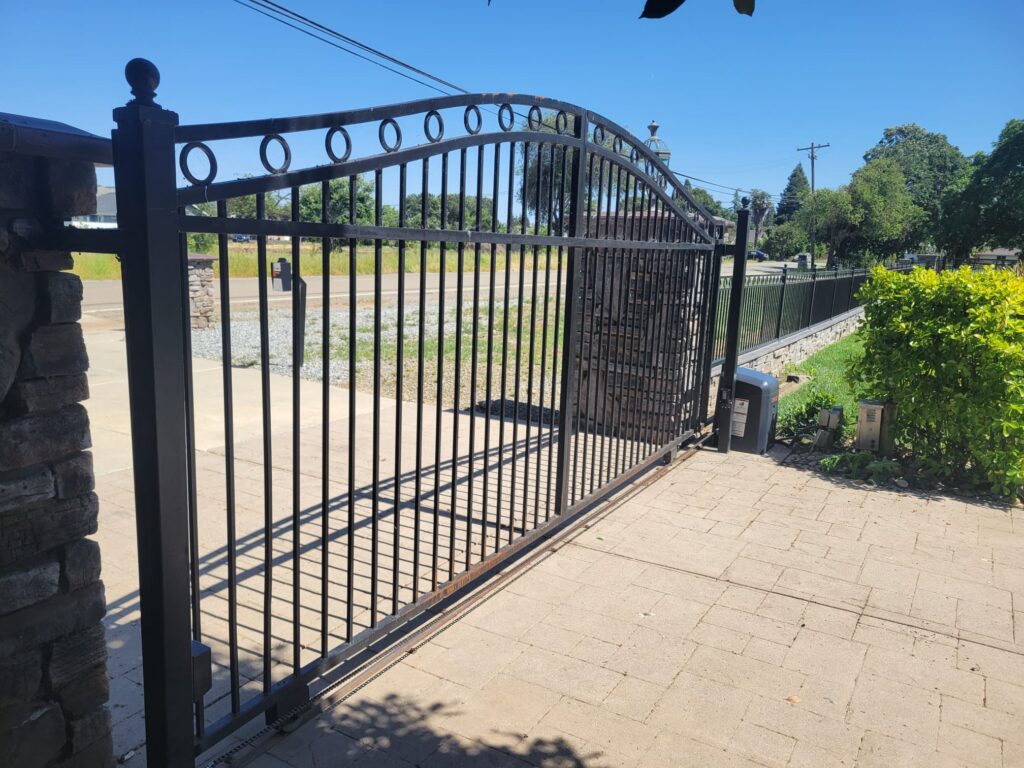
Liftmaster sliding gate openers are built to move heavy panels smoothly, but even a strong operator will struggle when the rolling system is fighting the track. In Walnut Creek, California, RNA Automatic Gates sees a common pattern: the opener gets blamed, while the real culprit is track alignment drifting out of spec and forcing the gate to drag, chatter, or bind.
Below is a field-style diagnostic guide for when track alignment fails and your sliding system starts acting up.
Symptom Mapping: The “Sound Signature” of Misalignment
Sliding gates talk – mostly through noise. Matching the sound to the mechanism cuts the troubleshooting time fast.
- Grinding along the run often points to track contamination plus a roller that is no longer centered in the V or U channel. If the sound changes at the same spot every cycle, suspect a localized track dip, cracked weld tab, or a roller flat spot.
- Clicking is commonly a roller climbing over a seam, fastener head, or dented lip. It can also come from a loose guide assembly tapping the frame.
- Chain slap (or rack chatter) may look like a track problem, but it can be a drive line issue. A loose chain, bad idler, or mismatched pitch can cause rhythmic impact that echoes through the frame.
- Motor strain (deep hum, slow start, heat) is the operator pushing through friction. That friction can come from gate binding issues, over-tight guides, or track geometry that forces side-load into the rollers.
If you’re working on a liftmaster slide gate and the sound suddenly spikes near mid-run, treat that as a red flag for alignment under load, not just a dirty track.
Track Geometry Under Load: Straight When Empty, Crooked When Moving
A gate can look “fine” while parked and still run crooked under motion. When the panel starts moving, weight transfers between rollers, the frame twists slightly, and posts can flex. That is when hidden geometry problems show up.
What to check:
- Sightline test with movement: Watch the leading edge gap to the fence line while the gate travels. If the gap opens and closes, the track is not holding a consistent path, or the gate frame is racking.
- Stringline or laser along the track: A static straightedge can miss a sag between supports. Use a taut stringline or laser and measure offsets at multiple points.
- Load reveal: If the gate pulls harder right after start, the rear roller set may be dropping into a low spot. If it pulls hardest near the end, the track may be climbing or the stop is fighting the operator.
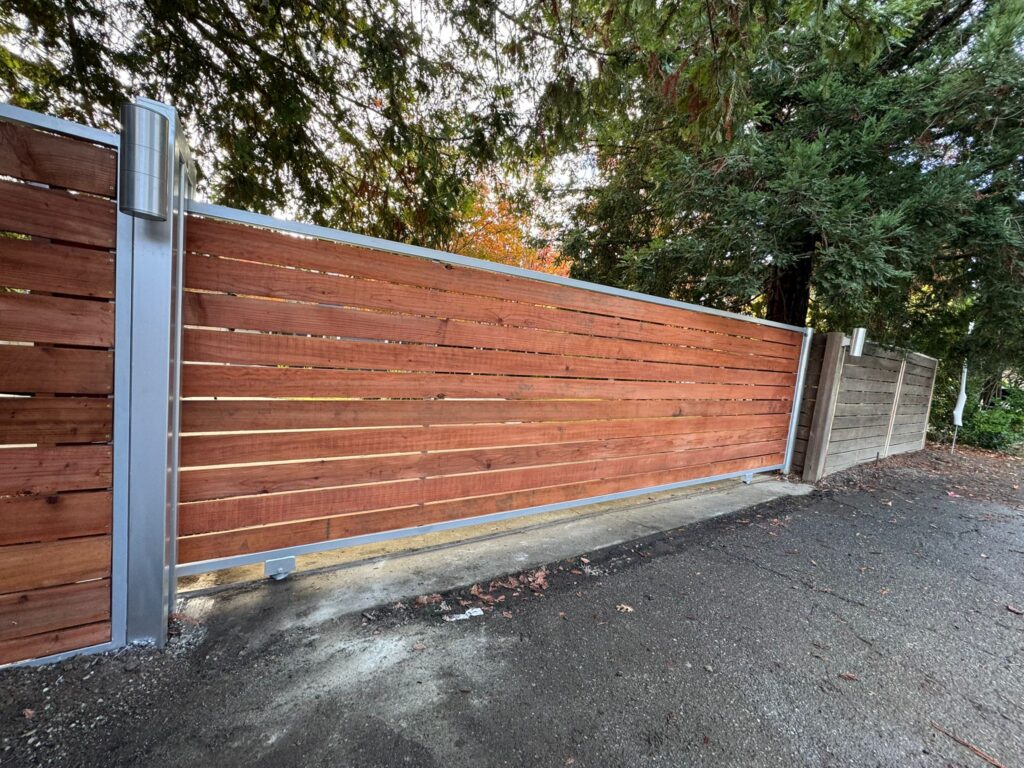
This is the core of sliding gate alignment work: confirming the track path while the system is loaded, not only when it’s sitting still.
Roller Path Integrity: Flat Spots, Coning, and Side-Load Scars
Rollers are “wear recorders.” The wear pattern tells you what the track and frame have been doing for months.
Look for:
- Flat spots on slide gate rollers: Often caused by a gate left parked under heavy load on a damaged section of track, or by a roller skidding because the path is pinched.
- Coning (tapered wear): Indicates the roller is consistently riding off-center, usually from a track that’s not plumb relative to the gate plane or from guides pushing the gate sideways.
- Side-load scars on roller faces or bearings: A sign the gate is being forced laterally, commonly from tight or mispositioned gate guide rollers, or from a track that’s twisted.
If you replace rollers without correcting the geometry, the new rollers inherit the same abuse and fail early.
Foundation Drift and Post Shift: The Slow Motion Gate Failure
Most track problems in the field start as small foundation movement. A footing that settles 1/4 inch can turn into a gate that binds hard in one zone.
Common causes in Walnut Creek-style conditions:
- Soil expansion and contraction across seasons
- Minor vehicle bumps that nudge a post out of plumb
- Concrete cracking at an anchor cluster
- Erosion or washout near a support point
As posts drift, the guides follow the posts, the gate gets squeezed, and the operator starts running hotter. That gradual rise in friction is a classic path to operator overload.
A practical check: put a level on both posts, then measure the clearances at the guides and along the run. If clearances look inconsistent, don’t assume the operator is “weak.” The structure may be moving.
Rack/Chain Line Truthing: When Drive Components Lie
Many “track” complaints are really drive-line misalignment. A rack or chain that is offset can pull the gate sideways, creating drag that mimics track damage.
Key failure modes:
- Pitch mismatch: Wrong rack segment or chain type causes irregular engagement. You’ll hear a repeating clunk or chatter.
- Offset: The pinion is not centered on the rack, or the chain line is not parallel to travel. This side-loads the gate as it moves.
- Mounting height errors: Too high or too low makes the operator climb the rack, lifting the gate slightly and unloading rollers, then dropping them back down.
This is where rack chain alignment matters. A straight rack line with the wrong height can still cause binding, and a perfect height with a crooked line can still pull the frame sideways.
Gate Frame Squareness: Racking That Steals Momentum
A sliding gate frame that’s out of square acts like it has “random” tight spots. What’s happening is diagonal distortion: one corner leads, then the frame twists, and a mid-run pinch point forms.
Checks that work:
- Measure diagonals corner-to-corner. If they don’t match, the frame is racked.
- Watch the top gap at the guide zone. If it changes as the gate moves, the frame is twisting or the guide alignment is forcing it.
- Inspect welds at corners and mid-rails for cracking or separation.
A racked frame often creates slide gate vibration because the guides keep correcting the gate’s path, then releasing it, over and over.
End Stops and Limits: The “Overtravel” That Eats Hardware
If a gate slams the end zone or “pushes” after it hits a stop, the operator is fighting the hardware at the endpoint.
What this looks like:
- Stop hardware bending
- Rollers getting hammered at the end of travel
- Chain or rack popping as torque spikes
- Limit switches drifting because the gate is flexing at the stop
Correct placement means the stop catches the gate cleanly and the limits cut power without the operator loading the frame. Overtravel accelerates wear on rollers, brackets, and the operator’s drive components.
Looking for Affordable Garage & Gate Repairs?
We offer quality service at competitive rates. Call (650) 912-1200 today to schedule your repair.
Idler Wheels, Guides, and Capture Points: Quiet Culprits
Guides and capture assemblies can create huge drag with almost no visible track damage.
Watch for:
- Guide roller spacing too tight: The gate gets pinched between rollers. You’ll see scuff marks on the frame uprights and a shiny polished stripe.
- Rollers not parallel: A skewed roller acts like a wedge, pushing the gate off its natural path.
- Capture points out of line: If the top capture pinches at one point and opens at another, the gate will “snake” through the run.
When gate guide rollers are set correctly, the gate stays centered without being squeezed. The goal is controlled guidance, not clamping.
Safety Devices vs. Mechanical Reality: False Reversals and Ghost Obstructions
Photo eyes, edges, and monitored safety inputs can trip when the gate shakes or stalls.
Misalignment can cause:
- Vibration that bounces a photo eye beam out of alignment for a split second
- A hard friction zone that drops speed, leading the controller to interpret it as obstruction
- A binding point that makes the gate “spring” backward, triggering edge inputs
If you see nuisance reversals with no obstacle present, don’t start by replacing sensors. Check for slide gate vibration sources and friction zones first.
Electrical Load Clues: Amp Draw as a Mechanical Diagnostic
Electrical data can point to mechanical trouble. A rising current draw often matches rising friction.
Practical approach (for techs with the right tools):
- Baseline current: Record steady-state amp draw on a healthy run.
- Map spikes by location: If amps jump at the same position each pass, that’s a physical bind zone – track dip, tight guide, frame rack, or drive-line pull.
- Thermal behavior: Operators that get hot after a few cycles are dissipating energy into friction. That heat is a symptom, not the root cause.
This method is especially useful when the gate “works” but feels slow or inconsistent – a common early sign of operator overload.
Precision Realignment Workflow: Incremental Correction, Not Guesswork
Random adjustments waste hours. A disciplined sequence prevents chasing your tail.
- Track condition and plane
- Remove debris, check fasteners, inspect weld points
- Verify straightness and level along the run
- Perform track straightening only after locating the true high and low points
- Rollers
- Inspect bearings, wear patterns, and mounting brackets
- Replace damaged slide gate rollers only after confirming the track path
- Guides and capture alignment
- Set guide spacing for control without pinch
- Align guides to the travel line and keep them square to the frame
- Drive line truthing
- Validate rack or chain parallelism, height, and engagement
- Correct rack chain alignment so it drives forward, not sideways
- Stops and limits
- Set hard stops for clean capture
- Adjust limits to cut power before the operator loads the stop
This sequence is the backbone of professional gate track repair: geometry first, wear components second, controls last.
Stability After the Fix: Anti-Drift Hardware and Maintenance Cadence
A corrected system can drift again if the structure keeps moving or if hardware loosens over time.
Ways to keep alignment locked:
- Use proper anchor hardware and re-torque after initial settling
- Add bracing where posts show flex
- Recheck guide spacing after any impact event
- Keep the track clean and verify drainage so grit does not pack into the running surface
- Schedule periodic inspections that include roller wear review and drive-line checks
A simple cadence – especially for high-cycle properties – reduces repeat gate binding issues and lowers the risk of sudden failures.
Lorem consectetur adipiscing elit. Lorem Lorem Lorem Lorem gravida scelerisque nibh ac. Lorem Lorem Lorem Lorem et elit incidents, scelerisque est in, rutrum dui. Lorem feugiat tellus. Mauris sapien massa, ultricies Lorem Lorem varius diam et eleifend fringilla. Suspendisse efficitur quis Lorem Lorem Lorem Lorem Lorem pharetra varius justo. Curabitur varius Lorem Lorem Lorem Lorem Lorem Lorem Lorem Lorem Lorem Lorem Lorem Lorem Lorem Lorem Lorem Lorem Lorem Lorem Lorem Lorem




Frequently Asked Questions (FAQ)
Why does my gate run fine one day and bind the next?
Small shifts in posts, temperature-related expansion, or a developing roller defect can turn a marginal alignment into a hard bind. Intermittent problems often trace back to frame racking or guide pinch points.
Is the opener the problem if the gate reverses randomly?
Not always. False reversals commonly come from vibration, drag, or a tight zone that drops speed and triggers obstruction logic.
Can I just replace the rollers and move on?
You can, but roller wear usually reflects geometry problems. If the track and guides stay off-line, new rollers wear fast and the operator keeps working harder.
What’s the difference between track damage and drive-line misalignment?
Track damage creates friction at specific points along the run. Drive-line issues (rack or chain) can pull the gate sideways throughout travel, which feels like a “global” drag problem. Checking rack chain alignment helps separate the two.
When should I call a pro for sliding gate alignment?
If the gate is heavy, the operator is heating up, the gate is shaking, or you suspect foundation drift, a trained tech can measure geometry, correct the path, and prevent repeat stress on the operator.
If your LiftMaster system in Walnut Creek is showing strain, vibration, or recurring reversals, RNA Automatic Gates can diagnose the mechanical path, correct alignment, and verify the operator is not being pushed into overload.
