Article

Converting Manual Ranch-Style Gates to LiftMaster Swing Automation

Blog & News Converting Manual Ranch-Style Gates to LiftMaster Swing Automation jay jay Feb 23, 2026 Article, Uncategorized On rural properties where trenching power is expensive or messy, some owners choose a battery-supported setup like Liftmaster solar gate openers to keep a swing system running without a long underground run. A ranch gate that works fine by hand can behave very differently once a motor moves it every day. Automation repeats the same motion at the same speed and force, so hinge wear, post lean, and slight frame twist stop being “minor.” A durable ranch gate automation plan starts with the gate as a mechanical structure, then adds the operator, wiring, safety devices, and access tools in a way that matches ranch traffic patterns. RNA Automatic Gates, a Gate and Garage Door Repair and Installation company serving California, approaches each swing gate retrofit as a whole system. That includes the gate’s geometry and the power delivery, not just the operator model. Ranch Gate Reality Check: Weight, Span, and Swing Physics A swing gate is a lever. As leaf length grows, the load at the operator climbs quickly, even if the gate only feels “a little heavier” by hand. Material choices matter too: a pipe frame with open rails moves differently than a wood-faced leaf that carries weight farther from the hinge line. Before picking an operator, measure the leaf length, estimate true weight (including skins and hardware), and test how freely the gate moves through its full swing. If it drags, binds, or speeds up downhill, that friction shows up as slow travel, nuisance stops, and faster wear once the motor takes over. A clean manual gate conversion starts with a gate that already swings smoothly. Post and Hinge Integrity: Automation Exposes Weak Links Sag becomes a daily problem. A latch-side droop that you lift by hand becomes a consistent scrape or stall under power. Hinge play turns into misalignment. Worn barrels and loose pins let the leaf shift, which changes limits and stop contact. Post flex shows up as chatter. If the hinge post moves, the operator pushes a moving target and hardware fatigue follows. Frame twist creates mid-swing binding. A racked gate can swing freely at one angle and bind hard at another. Gate hinge reinforcement often fixes the root cause. Common upgrades include bearing hinges, thicker hinge plates, gussets, backing plates, and correcting hinge axis alignment. Footings matter more than most owners expect. Shallow or cracked footings allow lean and reintroduce sag even after hinge work. Operator Selection Logic: Linear vs. Articulated for Ranch Geometry LiftMaster swing systems generally fall into two mechanical styles: linear actuators (straight push-pull) and articulated arms (jointed sweep). The “best” choice is usually the one that fits your post layout, hinge setback, and desired opening angle without forcing awkward bracket placement. Linear actuators fit well when the hinge pivot is close to the inside face of the post and the operator can push at a strong starting angle. They are straightforward to service and pair nicely with stiff steel ranch gates. Articulated arms tend to work better when hinges are set back on thick wood posts, masonry columns, or decorative builds where a linear actuator would start the swing at a weak angle. If you hear people ask for a “liftmaster ranch gate,” what they usually want is a LiftMaster swing operator applied with correct geometry and enough headroom for ranch conditions. Mounting Geometry: The Triangle That Determines Everything Gate mounting geometry is three points. Hinge pivot, post bracket, and gate bracket form the working triangle. Bad geometry causes slow starts. A shallow push angle at the beginning lacks leverage to overcome hinge friction. Bad geometry causes late-swing strain. Brackets placed incorrectly can bind near closed or hit stops too hard. Opening angle changes the math. A 90-degree swing and a 110-degree swing can require different bracket distances. Driveway crown and grade affect load. The gate may feel light at one angle and heavy at another, depending on terrain. Mark the swing arc. A simple chalk line can reveal high spots, fence conflicts, and where the leaf flexes. Treat the triangle like the foundation. When gate mounting geometry is right, tuning is simpler and service calls drop. Power Planning for Long Driveways: Voltage Drop and Trenching Strategy Long rural runs turn wiring into the make-or-break item. The operator can be perfectly sized and still act erratic if voltage at the gate drops under load. That is why “just extend the wire” creates recurring faults: slow movement, random resets, false obstruction stops, and batteries that never charge correctly. Solid driveway gate power planning starts with real distance measurements, conductor sizing for the load, and a conduit route that can be serviced later. For trenching, use conduit sized for pulls and future add-ons, with long-sweep bends and accessible junction points. Keep splices out of buried “mystery spots” and inside rated boxes with service access. If your project requires long run wiring, design it like utility work: correct gauge, clean terminations, moisture protection, and separation of high voltage and low voltage pathways where practical. Solar-Assist Options: When Off-Grid Becomes the Cleanest Choice Distance is the main trigger. When trench length makes copper and labor spike, solar can be cheaper and cleaner. Hardscape crossings push projects toward solar. Asphalt, concrete, rock, and drainage features raise trench complexity. Cycle count needs to match battery capacity. Moderate daily use is easier to support than constant traffic. Accessory load matters. Keypads, long-range receivers, loops, and intercoms add draw that must be budgeted. Panel placement must avoid shade. Morning and afternoon shading can cut charging more than owners expect. Batteries are the buffer. More storage smooths cloudy stretches and reduces voltage sag under load. A solar gate option is still an engineered power plan. It succeeds when the site, usage, and equipment are sized to match. Latch and Stop Engineering: Closing Without Slamming or Drift A motorized swing gate needs predictable endpoints. Without mechanical discipline at open and closed,

Converting Manual Ranch-Style Gates to LiftMaster Swing Automation Read More »

Access Control Integration for LiftMaster Swing Gate Openers in Commercial Settings

Blog & News Access Control Integration for LiftMaster Swing Gate Openers in Commercial Settings jay jay Feb 23, 2026 Article, Uncategorized Liftmaster swing gate openers can be a strong foundation in California commercial sites, but the operator alone does not create a smooth entry lane. The real performance comes from how credentials, controllers, operator inputs, safety devices, detection, and power are tied together. At RNA Automatic Gates, we see the same failure pattern: the gate hardware is fine, but the integration choices create double-triggers, missed opens, nuisance cycling, and safety devices that get bypassed when traffic spikes. This guide shows a practical way to build liftmaster access control that feels deliberate, tracks events cleanly, and protects people and equipment. Integration Blueprint: Defining the Credential-to-Gate Path Every commercial gate access system needs a clear, written signal path: reader to controller to operator input to motion, with safety devices able to interrupt motion when needed. When that path is vague, teams “patch” issues by adding extra relays, extending pulse times, or shortening timers, and the lane starts behaving unpredictably. A clean blueprint starts with deciding who owns each decision. The access platform should decide whether entry is allowed (valid credential, correct schedule, correct group), and the operator should decide how the gate moves (open profile, close timing, obstruction handling). When both systems try to run timing, the gate tends to feel twitchy: open commands stack, close timers restart randomly, and troubleshooting becomes guesswork. Credential Ecosystem: Cards, Fobs, PINs, Mobile, and Mixed Modes Commercial sites rarely stay single-credential for long. Tenants want keypad gate entry, employees want a badge, managers want mobile access, and visitors need an intercom gate system. Mixed modes can work without admin chaos if enrollment and removal stay centralized. A simple rule helps: keep one identity record per person, and attach multiple credentials to that identity. That way, revoking access is one action, not a scavenger hunt across a keypad list, an app portal, and a separate card database. It also keeps reporting clean, which matters later when you need to confirm who entered during a dispute or after an incident. In practice, many sites run cards or fobs for staff, PINs for tenants or vendors, mobile for managers, and intercom release for guests. The key is avoiding “shadow systems,” where a vendor still has an old PIN even after their card was removed. Gate Operator Interfaces: Dry Contact, Relay Logic, and Input Hygiene Most LiftMaster swing operators accept a dry-contact trigger input. That sounds straightforward, but “easy wiring” is where swing gate integration problems often start. Bad relay discipline creates intermittent failures that only show up during peak traffic or bad weather. The most common mistakes are holding a relay closed too long, stacking multiple relays in series, or letting noise into long cable runs that cross pavement or fencing. When that happens, the operator may interpret one access grant as multiple commands, or it may ignore commands sporadically. The fix is usually boring but effective: use a true dry contact, keep the access output momentary, label and terminate wiring cleanly, and isolate long runs with proper protection. Timing Architecture: Strike, Hold-Open, and Anti-Tailgate Coordination A gate that “feels intentional” is mostly about timing alignment. Users notice when a credential is granted but the gate hesitates, or when the gate starts to move and then stops and restarts as if it is second-guessing itself. The goal is one access event leading to one motion decision. Typically, the access system sends a single short pulse, the operator begins a predictable open cycle, and then the close sequence is governed by presence logic and a close timer that only starts when the lane is clear. That setup reduces chatter, reduces wear, and keeps traffic flowing. Anti-tailgating is where many sites accidentally create chaos. When teams try to stop tailgating by shortening close timers, they often increase nuisance cycling and cause more unsafe behavior. A better approach is detection-driven logic: expect a vehicle after a valid grant, watch for lane occupancy, and require a new credential once the “expected entry window” ends. This keeps enforcement consistent without turning the lane into a pinball machine. Safety Interlocks in Commercial Traffic: Preventing “Access Wins Over Safety” Safety should never be treated as optional. A gate safety interlock strategy is what prevents a valid credential from becoming an unsafe move. In the real world, busy lanes push people toward shortcuts, so the system has to make safety automatic and hard to bypass. For swing gates, the highest-risk zones are the sweep path, the closing zone, and pinch points near posts and hinges. Monitored photo eyes and monitored safety edges are the workhorses here. When correctly installed and configured, they protect people and vehicles without hurting throughput. The throughput problems usually happen when safety devices are misaligned, not monitored, or wired in a way that hides faults. Then the site starts “living with it” instead of fixing it. Vehicle Detection Layers: Loops, Probes, and Presence Logic Detection is what keeps commercial lanes from closing on vehicles and what prevents the gate from cycling for no reason. A vehicle loop sensor (or equivalent detection device) needs to match the lane geometry and the way vehicles actually approach. Most commercial setups work best with layered detection, usually an approach function plus a presence function. Approach detection can arm logic or trigger exit behavior, while presence detection prevents closing when a vehicle is still in the lane. If presence is unreliable, you will see the two worst symptoms: gates that close too aggressively, and gates that stay open because the system thinks something is still there. Loop tuning matters more than many people expect. If the sensitivity is wrong, high-clearance vehicles can be missed, or nearby metal and electrical noise can trigger false occupancy. That is where nuisance cycling starts. Audio/Video Entry Systems: Intercom Latency and Gate Control Discipline Intercom systems add a human decision in the middle of the process, and humans introduce delay. If the

Access Control Integration for LiftMaster Swing Gate Openers in Commercial Settings Read More »

Preventing Sand Intrusion Damage in Cayman LiftMaster Gate Systems

Blog & News Preventing Sand Intrusion Damage in Cayman LiftMaster Gate Systems jay jay Feb 23, 2026 Article, Uncategorized Coastal installs in Cayman, California often rely on LiftMaster operators configured for salty air and wind exposure, like the setups we work on every week at RNA Automatic Gates – including Liftmaster gate openers cayman as a common reference point when matching an operator to gate size and duty cycle. Sand isn’t just a cosmetic nuisance. On coastal properties, fine grit rides the wind, slips into tiny gaps, and turns normal motion into a slow grind. This guide lays out practical sand intrusion prevention steps for cayman gate systems, with a focus on LiftMaster operators in coastal conditions. Sand as an Abrasive System: Why “Fine” Becomes Fatal Beach sand looks harmless because it’s small. That’s the problem. Micron-sized particles behave like lapping compound when they mix with lubrication and moisture.What sand does inside a gate system: Bearings: Grit scratches races and balls/rollers, raising friction. Heat builds, grease breaks down, and the bearing starts to howl. Gears and sprockets: Abrasive paste forms when sand mixes with oil or tacky grease. Tooth profiles wear, backlash grows, and alignment gets sloppy. Seals: Sand cuts seal lips and O-rings. Once a seal is scored, it stops being a barrier and starts being an entry point. Rails and rollers (sliders): With sliding gate sand, the track becomes sandpaper. Rollers flatten or chip, and the gate begins to chatter. Add humidity and salt mist and you get a one-two punch: abrasion plus corrosion. That combo is how corrosion sand damage turns a “working gate” into a stalled gate with a burned motor or stripped drivetrain. Ingress Path Audit: The Hidden Doorways for Grit Most sand problems come from predictable pathways. A fast audit helps you target fixes that actually last.Common entry points on LiftMaster operators and gate assemblies: Motor housing seams and covers that don’t seat flat Vents that pull air straight through the cabinet Conduit runs that slope toward the operator Cable glands that are oversized, cracked, or missing inserts Hinges, idlers, and chain/rack zones exposed to direct wind Control enclosures with warped doors, tired gaskets, or missing latch tension Bottom track packed with sand that gets thrown upward into rollers and guides Quick field check: Wipe a finger along the inside lip of the operator door and around wire entry points. A gritty film inside the cabinet means the enclosure is “breathing” sand. Look for sand piles under the cover. That usually traces back to a vent path, conduit path, or a gasket that no longer compresses. This audit step matters for gate motor protection because most motors fail after contamination starts upstream. Sealed Enclosures Done Right: IP Thinking Without the Buzzwords You don’t need fancy terminology to make smart enclosure choices. You need two outcomes: keep grit out keep the box serviceable without tearing seals every visit Practical gate enclosure sealing tactics: Choose a cabinet that closes square. A stiff door with a solid latch compresses the gasket evenly. Warped doors create a high-spot/low-spot leak. Use the right gasket profile. Flat foam tape works for light dust, but coastal sites often benefit from a formed gasket that rebounds after repeated openings. Seal around fasteners. Loose screws and missing washers become micro-leaks. Stop “field notches.” If someone cut a corner to pass a wire, that’s now a sand funnel. Patch properly and re-route through glands. Plan a service loop. Give wiring slack inside so techs don’t yank cables through seals during troubleshooting. A good enclosure is part of liftmaster coastal longevity. It also reduces nuisance faults caused by dirty limit sensors, photo eyes, and accessory boards. Airflow Discipline: Venting That Filters Instead of Feeding Operators generate heat. Some airflow is normal, especially in full sun. The goal is to cool without pulling in grit.Better venting approaches for coastal sites: Baffled vents: A simple baffle forces air to turn before entering. Sand carried on wind has momentum, so turns help drop particles before they reach electronics. Filtered vent inserts: Use a filter medium that can be swapped on a schedule. A clogged filter is better than sand inside the cabinet. Vent placement: Avoid vents facing the prevailing wind. Side placement under a lip or shield cuts direct sand blast. Maintain clearance: Keep landscaping, fences, and debris from blocking airflow. Blocked airflow can overheat electronics and shorten capacitor and relay life. Conduit, Glands, and Drip Loops: Sand’s Favorite Highways Wiring pathways are a top cause of contamination, especially when conduit runs act like a chute. Routing and termination habits that cut intrusion: Slope conduit away from the operator whenever possible. Use drip loops on any cable that enters a cabinet from above. Water and sand ride the same path. Match gland size to cable OD. An oversized gland “looks tight” but leaks around the jacket. Use gland inserts for multi-conductor bundles instead of cramming through one hole. Seal unused knockouts with proper plugs, not tape. Avoid straight-line conduit into the cabinet at ground level. A short riser plus a lateral entry reduces direct sand migration. Done right, this single change can cut internal grit by a huge margin and supports long-term gate motor protection. Track and Run Zone Hygiene: Cleaning That Doesn’t Re-Deposit Grit Cleaning is easy to do wrong. High-pressure air or water often pushes sand into rollers, guides, and bearings. Better track cleaning methods for sliding systems: Start with dry removal: Use a stiff nylon brush and a shop vac to lift sand out of the track, not along it. Wipe rails and guides with a damp microfiber cloth after vacuuming. This grabs the remaining fine film. Low-pressure rinse only when needed and only after dry removal. If you rinse first, you make abrasive slurry. Mind the roller pockets: Clean around roller brackets and guide posts where sand packs and hardens. If the gate has a V-track or wheel track, keep an eye on “black paste” buildup. That’s worn metal plus sand plus lubricant

Preventing Sand Intrusion Damage in Cayman LiftMaster Gate Systems Read More »

When Track Alignment Fails: Diagnosing LiftMaster Sliding Gate Performance Issues

Blog & News When Track Alignment Fails: Diagnosing LiftMaster Sliding Gate Performance Issues jay jay Feb 23, 2026 Article, Uncategorized Liftmaster sliding gate openers are built to move heavy panels smoothly, but even a strong operator will struggle when the rolling system is fighting the track. In Walnut Creek, California, RNA Automatic Gates sees a common pattern: the opener gets blamed, while the real culprit is track alignment drifting out of spec and forcing the gate to drag, chatter, or bind.Below is a field-style diagnostic guide for when track alignment fails and your sliding system starts acting up. Symptom Mapping: The “Sound Signature” of Misalignment  Sliding gates talk – mostly through noise. Matching the sound to the mechanism cuts the troubleshooting time fast. Grinding along the run often points to track contamination plus a roller that is no longer centered in the V or U channel. If the sound changes at the same spot every cycle, suspect a localized track dip, cracked weld tab, or a roller flat spot. Clicking is commonly a roller climbing over a seam, fastener head, or dented lip. It can also come from a loose guide assembly tapping the frame. Chain slap (or rack chatter) may look like a track problem, but it can be a drive line issue. A loose chain, bad idler, or mismatched pitch can cause rhythmic impact that echoes through the frame. Motor strain (deep hum, slow start, heat) is the operator pushing through friction. That friction can come from gate binding issues, over-tight guides, or track geometry that forces side-load into the rollers. If you’re working on a liftmaster slide gate and the sound suddenly spikes near mid-run, treat that as a red flag for alignment under load, not just a dirty track. Track Geometry Under Load: Straight When Empty, Crooked When Moving  A gate can look “fine” while parked and still run crooked under motion. When the panel starts moving, weight transfers between rollers, the frame twists slightly, and posts can flex. That is when hidden geometry problems show up.What to check: Sightline test with movement: Watch the leading edge gap to the fence line while the gate travels. If the gap opens and closes, the track is not holding a consistent path, or the gate frame is racking. Stringline or laser along the track: A static straightedge can miss a sag between supports. Use a taut stringline or laser and measure offsets at multiple points. Load reveal: If the gate pulls harder right after start, the rear roller set may be dropping into a low spot. If it pulls hardest near the end, the track may be climbing or the stop is fighting the operator. This is the core of sliding gate alignment work: confirming the track path while the system is loaded, not only when it’s sitting still. Roller Path Integrity: Flat Spots, Coning, and Side-Load Scars  Rollers are “wear recorders.” The wear pattern tells you what the track and frame have been doing for months.Look for: Flat spots on slide gate rollers: Often caused by a gate left parked under heavy load on a damaged section of track, or by a roller skidding because the path is pinched. Coning (tapered wear): Indicates the roller is consistently riding off-center, usually from a track that’s not plumb relative to the gate plane or from guides pushing the gate sideways. Side-load scars on roller faces or bearings: A sign the gate is being forced laterally, commonly from tight or mispositioned gate guide rollers, or from a track that’s twisted. If you replace rollers without correcting the geometry, the new rollers inherit the same abuse and fail early. Foundation Drift and Post Shift: The Slow Motion Gate Failure  Most track problems in the field start as small foundation movement. A footing that settles 1/4 inch can turn into a gate that binds hard in one zone.Common causes in Walnut Creek-style conditions: Soil expansion and contraction across seasons Minor vehicle bumps that nudge a post out of plumb Concrete cracking at an anchor cluster Erosion or washout near a support point As posts drift, the guides follow the posts, the gate gets squeezed, and the operator starts running hotter. That gradual rise in friction is a classic path to operator overload.A practical check: put a level on both posts, then measure the clearances at the guides and along the run. If clearances look inconsistent, don’t assume the operator is “weak.” The structure may be moving. Rack/Chain Line Truthing: When Drive Components Lie  Many “track” complaints are really drive-line misalignment. A rack or chain that is offset can pull the gate sideways, creating drag that mimics track damage.Key failure modes: Pitch mismatch: Wrong rack segment or chain type causes irregular engagement. You’ll hear a repeating clunk or chatter. Offset: The pinion is not centered on the rack, or the chain line is not parallel to travel. This side-loads the gate as it moves. Mounting height errors: Too high or too low makes the operator climb the rack, lifting the gate slightly and unloading rollers, then dropping them back down. This is where rack chain alignment matters. A straight rack line with the wrong height can still cause binding, and a perfect height with a crooked line can still pull the frame sideways. Gate Frame Squareness: Racking That Steals Momentum  A sliding gate frame that’s out of square acts like it has “random” tight spots. What’s happening is diagonal distortion: one corner leads, then the frame twists, and a mid-run pinch point forms.Checks that work: Measure diagonals corner-to-corner. If they don’t match, the frame is racked. Watch the top gap at the guide zone. If it changes as the gate moves, the frame is twisting or the guide alignment is forcing it. Inspect welds at corners and mid-rails for cracking or separation. A racked frame often creates slide gate vibration because the guides keep correcting the gate’s path, then releasing it, over and over. End Stops and Limits: The “Overtravel” That Eats

When Track Alignment Fails: Diagnosing LiftMaster Sliding Gate Performance Issues Read More »

Architectural Gate Designs for Custom-Built Los Altos Hills Homes

Blog & News Architectural Gate Designs for Custom-Built Los Altos Hills Homes jay jay Jan 14, 2026 Article, Uncategorized In Los Altos Hills, California, homes are designed with care and attention to detail, reflecting both beauty and functionality. From the glass panels that catch the morning light to the landscaped paths leading to the main entrance, every feature matters. One of the most defining elements of these luxury hillside properties is the gate that welcomes residents and guests. For homeowners seeking elegant, secure, and fully customized gates, Gate Installation Los Altos Hills by RNA Automatic Gates offers the perfect balance of craftsmanship, innovation, and design harmony. Every project begins with an understanding of the property’s unique architecture. Whether your home embraces sleek modernism or timeless tradition, the right architectural gate design enhances its beauty and character. With a custom gate designed specifically for your estate, your entrance becomes not just functional but a reflection of your home’s identity. Architectural Identity Through Custom Gate Styling Every luxury home in Los Altos Hills tells its own story. Some feature clean glass facades and open layouts, while others focus on stone textures and rustic charm. Each style deserves a gate that matches its character. Custom estate gates are built to echo the home’s form, materials, and tone, creating a seamless connection between property and architecture.A home with bold, square lines looks striking with a minimalist steel gate featuring horizontal panels. In contrast, a villa surrounded by gardens benefits from ornamental ironwork or natural wood inlays. Every element—from hinge design to handle finish—plays a part in creating visual balance. RNA Automatic Gates ensures that every design blends perfectly with the home’s proportions, capturing both elegance and structure. Material Pairings That Reflect High-End Architecture The materials chosen for luxury gate installs can define the entire aesthetic of an entrance. Premium gate materials such as metal, wood, and glass not only improve durability but also tie the design together with the home’s finishes. Steel and wood combinations add both warmth and strength, ideal for hillside estates. Glass inserts enhance modern homes by reflecting natural light and creating transparency. Bronze and copper accents introduce a classic touch that evolves beautifully over time. These thoughtful pairings transform a gate into more than a boundary—they make it an extension of the home itself. Geometric Gate Structures for Modern Custom Builds Los Altos Hills is home to many sleek, modern properties. Their gates often follow geometric themes that echo the sharp lines and minimal ornamentation of the house. Geometric gate structures use straight angles, balanced spacing, and clean framing to complement contemporary builds.These gates may include: Horizontal panels for a strong, structured look. Cut-out shapes that provide privacy and light. Laser-cut metal designs that mirror architectural grids. The precision in these designs gives every modern home a polished, professional finish. Artisanal Metalwork for Estate-Level Entrances Large estates in Los Altos Hills require gates that represent sophistication and craftsmanship. Artisan gate work involves handcrafted iron and steel designs that display skill and creativity. These pieces combine engineering with artistry, creating gates that feel unique and enduring.Each handcrafted curve or pattern reflects care and dedication. These designs elevate curb appeal and turn the entrance into a visual statement, giving every home a sense of grandeur and authenticity. Integrated Stone or Masonry Columns for Cohesive Design The beauty of a custom driveway gate often depends on how it connects with surrounding architecture. Stone or masonry columns built into the design make the gate appear as an organic part of the property rather than an addition.These columns: Reinforce the structure for larger or heavier gates. Match the home’s façade materials. Hide wiring for lighting or smart gate systems. The result is a cohesive and balanced entryway that feels both solid and elegant. Looking for Affordable Garage & Gate Repairs? We offer quality service at competitive rates. Call (650) 912-1200 today to schedule your repair. Smart Home Integration for Luxury Gate Systems Today’s homes are smarter than ever, and the gate can be too. RNA Automatic Gates installs smart gate systems that connect directly to home automation networks. Homeowners can open and close gates using a smartphone, set custom schedules, or monitor visitors from anywhere.Features include: Wi-Fi or Bluetooth access for remote entry. Security cameras and motion alerts for peace of mind. Integration with Alexa, Google, or Control4 systems. Solar-powered motors for energy efficiency. This technology combines security, convenience, and elegance—ideal for the modern hillside lifestyle. Minimalist Gate Designs for Clean-Edge Architecture For homes with flat roofs and sharp lines, minimalist gate designs are a natural choice. These gates have no unnecessary decorations, relying instead on symmetry, proportion, and texture.A sleek aluminum or steel gate painted in matte black or brushed silver provides a bold yet understated appearance. It blends into the environment while adding a touch of refinement. Minimalist gates also complement glass-heavy homes where simplicity enhances architectural beauty. Large-Span Gates for Wide Hillside Estate Driveways Los Altos Hills estates often require large-span gates for wide or curved driveways. These designs need strong construction and smooth performance. RNA Automatic Gates engineers these gates with reinforced joints, balanced hinges, and high-torque motors to ensure long-lasting reliability.Despite their size, these gates maintain graceful proportions. They open quietly and stay aligned, even on sloped driveways. This combination of power and beauty creates a welcoming entry that fits seamlessly with hillside properties. Artistic Accent Elements to Match Custom Exterior Themes No two homes in Los Altos Hills are the same, and neither should their gates be. Artistic accent elements personalize each installation.Examples include: Custom engravings or monograms. Laser-cut floral or geometric motifs. Powder-coated finishes in unique color tones. These small details help bridge the design between the gate and the home, turning a practical structure into a personal statement. Lighting as an Architectural Feature Lighting enhances both the safety and appearance of your gate. In architectural gate design, lighting highlights craftsmanship, provides security, and creates atmosphere after sunset.Options include: Soft LED uplights to accent textures. Pathway lighting

Architectural Gate Designs for Custom-Built Los Altos Hills Homes Read More »

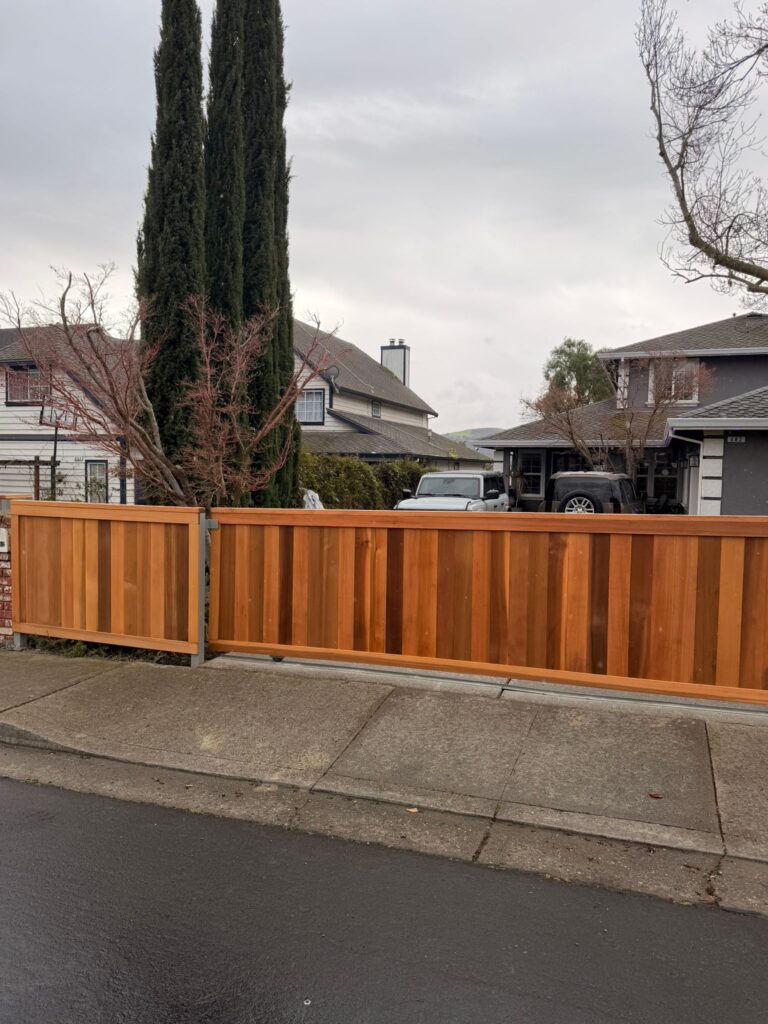
gate and wood fence installation in Milpitas

Privacy-Focused Gate Installations for Los Altos Homes Facing Busy Roads

Blog & News Privacy-Focused Gate Installations for Los Altos Homes Facing Busy Roads jay jay Jan 14, 2026 Article, Uncategorized Living near a busy road in Los Altos comes with daily distractions. The noise, the lack of privacy, and the constant flow of people or cars passing by your home can affect how safe and comfortable you feel. A well-designed privacy driveway gate can help. At RNA Automatic Gates, we provide custom solutions that improve privacy, reduce noise, and give your home a stronger sense of peace. If you’re considering improving your outdoor space, explore our trusted Gate Installation Los Altos services. From blocking street views to installing noise-reducing gates, we’re here to help homeowners regain comfort in homes facing busy roads. Noise-Blocking Gate Materials for Road-Facing Homes Busy streets are loud. Trucks, buses, motorcycles, and people talking – it adds up. For homes near the road, peace and quiet may feel impossible. But certain gate materials can stop a lot of that sound. Some gates have layers that absorb noise, not just block it. Composite panels with foam or dense filler help soak up loud engine sounds and traffic noise. Aluminum gates with sound-insulated cores are also great at keeping noise out without looking bulky or industrial. Wooden gates, when built solid and thick, can stop mid-range street noise while also looking warm and natural. Choosing the right sound blocking gate can make your yard and home feel like it’s tucked away, even if you’re on a busy road. Height-Optimized Gates for Driveways Near High Traffic If your gate is too short, people can still see in. If it’s too tall, it might look strange or block your view from inside. Height-optimized gates are just right. They give you privacy while still matching your house and landscape. Taller gates near sidewalks or bus stops help keep strangers from looking in. Medium-height gates for homes on hills or slopes give you privacy without cutting off your view of the street. In tight neighborhoods, smart gate height keeps your space hidden but welcoming. This kind of privacy driveway gate makes your front entry feel like yours again, without closing it off too much. Solid Panel Designs for Enhanced Streetfront Privacy Some gates have bars or open spaces. That’s not great if you want privacy. Solid panel gates give you full coverage. Nobody can see through them, which helps keep your home safe from wandering eyes. Solid wood or metal gates block direct sight from the street to your windows. Composite gates with no gaps are ideal for families who want peace and no unwanted attention. Some solid gates have textured surfaces or added trim to look nice while doing their job. If your home faces a sidewalk or street directly, a solid panel gate is one of the best ways to get privacy back. Landscaping Integration for Natural Privacy Layering A good gate works even better when it’s paired with plants and trees. This is called natural privacy layering. It blends strong materials with soft greenery to make your home feel cozy and protected. Tall hedges behind or beside the gate can block high-angled views from upstairs windows or nearby buildings. Vines growing on a trellis can add color and fill in any visual gaps. Planting thick bushes along the fence line adds even more privacy and reduces road noise. These touches help your road-facing gate feel like part of your yard, not just a barrier. Strategic Gate Placement to Minimize Road Disruption Where your gate goes matters just as much as how it’s built. If it’s too close to the road, it might be noisy or unsafe. If it’s too far back, you lose yard space. Good gate placement can make your home quieter, safer, and more private. Placing the gate a few feet back creates a buffer zone from street noise and foot traffic. Angled gate setups can block glare from headlights or redirect views away from your front door. Off-center gate placement may be useful for long driveways or corner lots. This smart thinking makes your Los Altos privacy setup both functional and attractive. Smart Access Control to Reduce Roadside Loitering If you live near a sidewalk, strangers may stop at your gate. They might knock, wait too long, or hang around. Smart access control helps prevent this. It keeps your gate secure without needing someone to open it from inside. Remote openers let you control the gate from inside your car or home. Keypad systems with changing codes make it harder for anyone to guess how to get in. Intercoms let you talk to visitors without going outside or unlocking anything. These tools help keep your secure entry Los Altos home safe and calm, especially during busy times of day. Automatic Closing Timers for Homes Near Busy Intersections Leaving your gate open too long can be a problem. Maybe you forget to close it. Maybe a visitor leaves it open. On a busy street, that open gate can attract people, animals, or even unwanted cars turning around. That’s why automatic closing timers are useful. Set the gate to close after 30 seconds, 1 minute, or more – whatever fits your routine. Even if you’re distracted, your gate will close by itself. This keeps your yard private and reduces safety risks from strangers wandering in. Busy corners and intersections make this feature even more important. Let your gate do the remembering for you. Looking for Affordable Garage & Gate Repairs? We offer quality service at competitive rates. Call (650) 912-1200 today to schedule your repair. Impact-Resistant Builds for Properties Near Traffic Flow Living near traffic means your gate might take a hit – not on purpose, but it happens. A ball from the sidewalk, a passing bike, a bump from a trash bin. Impact-resistant gates are built strong to handle all that. Steel frames under wood or vinyl keep the gate sturdy and long-lasting. Reinforced hinges and posts stay straight even if bumped or shaken. Heavy-duty paint

Privacy-Focused Gate Installations for Los Altos Homes Facing Busy Roads Read More »

Premium Gate Designs for Hillside Los Gatos Estates with Steep Grade Changes

Blog & News Premium Gate Designs for Hillside Los Gatos Estates with Steep Grade Changes jay jay Jan 14, 2026 Article, Uncategorized For homeowners looking for Gate Installation Los Gatos, RNA Automatic Gates offers specialized solutions that make hillside living both safe and beautiful. The team designs and installs custom hillside gates that work perfectly on steep slopes, where most gates struggle. Los Gatos is known for its stunning hills and elevated homes, but these landscapes come with unique challenges when it comes to driveway and gate installations. The right premium gate design must balance strength, smooth movement, and long-term stability. Gates on steep ground need more than good looks; they need solid engineering to stand up against gravity, weather, and constant use. That’s why RNA Automatic Gates focuses on hillside gate install projects that combine both safety and modern style. Each system is made to handle difficult elevation changes while keeping driveways easy to access and attractive. Elevation Challenges Unique to Los Gatos Los Gatos is a city with homes built along steep hills and scenic slopes. While this gives each property beautiful views, it also makes installing gates more complicated. Driveways are often uneven, and this means regular gates won’t fit correctly. The slope affects how a gate opens, how much pressure is on the frame, and how the motor performs. On an incline, gravity works against the gate. When a gate opens uphill, the motor must push harder. When it opens downhill, gravity can make it swing too quickly. Both situations can cause stress on hinges, posts, and openers. That’s why los gatos gates must be designed specifically for hillside architecture. Professionals from RNA Automatic Gates carefully measure slope angles and driveway curves before installation. This planning helps them understand where the extra force will be and how to prevent gate misalignment or sagging. A hillside home needs a gate that matches both the terrain and the home’s design. Key challenges of hillside gates include: Maintaining even clearance from the ground as the slope changes. Preventing the gate from dragging or scraping against the driveway. Choosing motor systems that can handle higher loads on inclines. Ensuring posts and frames can resist constant downward pull. These challenges can’t be solved with standard parts. They require hillside engineering gates built for the local conditions of Los Gatos. Reinforced Gate Frames for Hillside Weight Distribution Gates on hills experience pressure from multiple directions. The slope makes the bottom of the gate heavier than the top, putting stress on the hinges and posts. To handle this, reinforced frames are essential. RNA Automatic Gates uses strong materials like galvanized steel or heavy-duty aluminum for hillside gates. These metals are resistant to bending, rusting, and long-term wear. The frame is often made thicker and reinforced with extra welds at high-stress points. The design team considers not just the gate’s weight but also the effects of rain, soil movement, and wind. When a strong wind hits a hillside gate, it pushes unevenly, so the frame needs added stability. Reinforced frames distribute these pressures evenly to keep the gate aligned. Benefits of reinforced gate frames include: Longer lifespan and reduced risk of warping. Stable operation despite slope angles. Smooth performance even during high winds or storms. Better protection against soil shifting or erosion. RNA Automatic Gates ensures each estate gate installation has the proper reinforcements to support the terrain and keep movement consistent year after year. Tiered Mounting Solutions for Multi-Level Properties Many homes in Los Gatos have multi-level driveways, where the entrance sits higher or lower than the main home. For these properties, tiered mounting systems are the perfect solution. Tiered mounting allows each gate post to be installed at slightly different heights to follow the slope’s shape. Instead of forcing a flat gate to fit an angled surface, installers create layers or “tiers” that make the gate move naturally with the land. This kind of hillside gate install requires exact measurements. Installers use laser levels and digital tools to align posts perfectly so that the gate moves evenly. The goal is to create a seamless look and function, even when the ground underneath is uneven. Why tiered mounting is effective: Keeps gate alignment accurate even on changing slopes. Prevents wear on motors and hinges. Allows custom designs that match the property’s shape. Maintains a balanced appearance across uneven terrain. Tiered systems are a hallmark of premium gate design for Los Gatos estates, providing both function and a clean architectural finish. Swing Versus Slide Gates on Steep Grades Not every gate works the same way on an incline. The choice between swing and slide gates is one of the most important decisions during a hillside installation. Each type has its own benefits depending on the slope and available space. Swing gates open either inward or outward. On flat driveways, they are elegant and simple to use. But on a slope, swing gates must overcome gravity. When a gate opens uphill, it faces resistance. When it opens downhill, gravity makes it move faster, sometimes too fast for safe use. Slide gates move sideways along a track, which can be easier on steep grades. They don’t have to push against gravity, but they need enough horizontal space for the gate to slide open fully. Professionals like RNA Automatic Gates help homeowners decide which option is best for their steep grade gates by studying how the driveway is shaped and how much room there is for installation. Comparison of gate types: Swing gates offer a traditional look but require stronger motors. Slide gates are better for driveways with limited clearance. Counterbalance systems can make swing gates safer on hills. Both types can be automated for easy entry and exit. Counterbalanced Gate Arms for Grade Compensation A counterbalanced gate arm is a mechanical feature that helps the gate open smoothly, even on a slope. It uses weighted arms or springs to offset gravity’s pull. This balance reduces strain on the motor and hinges. For uphill or downhill

Premium Gate Designs for Hillside Los Gatos Estates with Steep Grade Changes Read More »

When Sloped Driveways Complicate Entry: Custom Gate Installation Solutions in Walnut Creek

Blog & News When Sloped Driveways Complicate Entry: Custom Gate Installation Solutions in Walnut Creek jay jay Jan 14, 2026 Article, Uncategorized Some homeowners in Walnut Creek deal with a frustrating problem – gates that won’t open right because the driveway slopes up or down. If your driveway isn’t flat, a gate might drag on the ground or get stuck halfway. At Gate Installation Walnut Creek, RNA Automatic Gates helps fix this issue with special gate designs that work smoothly even on hills or uneven ground. With the right design and hardware, your gate can open wide, close properly, and keep working well for years to come. Understanding Driveway Inclines in Walnut Creek In Walnut Creek, many homes sit on hills or uneven roads. That means the driveway might rise up steeply or dip down quickly. This can make installing a gate tricky. Standard gates are made for flat ground. When you install them on a slope, a few things can go wrong. The gate may hit the driveway before it finishes opening or closing Motors have to push harder to lift the gate uphill Hinges and arms may bend or wear out faster than normal The steeper the slope, the more stress gets put on every part of the gate system. If it isn’t built for those conditions, it may fail sooner or become noisy and hard to use. Gate Frames Designed for Uneven Ground The gate frame is what holds everything together. On a sloped driveway, the gate frame must be extra strong and properly shaped to fit the ground’s shape. It also needs to stay balanced, even if one post is higher or lower than the other.At RNA Automatic Gates, we make frames that are: Sturdy enough to handle daily movement without bending Designed with the slope in mind so the gate stays even when the driveway isn’t Able to support the motor and arms without shifting over time When the frame is strong and level, everything else works better. That’s why we always start with a custom frame for every slope driveway gate. Hinges Engineered for Angled Opens Hinges are the parts that let the gate swing open and closed. On a flat driveway, they work the same way every time. But on a hill, a gate swings at an angle. That can cause scraping, pulling, or even damage to the posts.To stop this from happening, we use special hinges made for slopes. These hinges: Move at angles so the gate doesn’t drag on the ground Support the gate’s weight, even on a steep incline Help the gate swing higher or lower depending on the slope direction Adjustable Mounting Posts for Hard-to-Level Areas Some homes in Walnut Creek are built on land that shifts over time. That makes the driveway change slightly every few years. This can make the gate uneven. We use adjustable posts that can move a little when needed.These posts help: Keep the gate level when the ground settles Make small corrections without having to reinstall the gate Avoid leaning or twisted gate frames Adjustable posts are a smart choice for uneven ground gates in hillside areas. Variable-Speed Motors for Incline Operation Motors do most of the hard work in opening and closing a gate. But on a slope, that job becomes harder. Going uphill means more lift. Going downhill means more control.We use gate motor incline systems that: Change speeds depending on how steep the driveway is Slow down when lifting heavy gates uphill to reduce wear Stay safe and controlled when closing downhill This helps the gate move smoothly and keeps the motor from burning out too quickly. Looking for Affordable Garage & Gate Repairs? We offer quality service at competitive rates. Call (650) 912-1200 today to schedule your repair. Articulated Gate Arms for Smooth Movement In tricky spots where the driveway curves or slopes in different directions, we install articulated arms. These arms have joints that bend and flex.With articulated arms, your sloped entry gate can: Move around obstacles without getting stuck Open and close without putting too much pressure on the gate Handle odd angles that normal arms can’t manage This type of arm works great for tight or sloped spaces where standard arms would struggle. Gate Width Optimization for Narrow Sloped Entrances Some driveways in Walnut Creek are not only sloped but also narrow. That means the gate must fit just right so that cars and trucks can get in and out without scraping the edges. To fix this, we: Measure the slope and angle before choosing the gate width Adjust the swing arc so vehicles don’t hit the sides Make sure the gate opens fully without hitting walls or bushes Planning the gate width for a narrow sloped driveway takes time, but it makes using your gate easier every day. Drainage Considerations That Affect Gate Lifespan Water is a big problem on sloped driveways. When rain flows down the driveway, it can pool around the gate motor or lower gate post. Over time, this causes rust, erosion, or motor failure. That’s why we include drainage planning with every gate installation Walnut Creek project. We: Grade the area so water flows away from the gate Add gravel or drainpipes to direct runoff safely Use sealed motor boxes that protect against moisture Taking care of drainage means your gate lasts longer and needs fewer repairs. Material Choices That Reduce Sag on Inclines A heavy gate on a slope can sag more quickly than one on flat ground. To prevent this, we use materials that are strong but not too heavy. Good materials for a custom gate design on a slope include: Aluminum frames that are light but sturdy Hollow steel with a powder coating to prevent rust Strong plastics for parts that move often These materials help your gate stay straight and balanced, even if the driveway puts pressure on it from below. Safety Sensors Positioned for Slanted Terrain Safety is very important with automatic gates. Sensors help

When Sloped Driveways Complicate Entry: Custom Gate Installation Solutions in Walnut Creek Read More »

Designing Gates That Don’t Obstruct Century-Old Trees in Menlo Park

Blog & News Designing Gates That Don’t Obstruct Century-Old Trees in Menlo Park jay jay Dec 26, 2025 Article, Uncategorized For homeowners exploring gate installation in Menlo Park, there’s a special challenge that comes with living among the city’s century-old trees. These tall, beautiful trees tell stories of Menlo Park’s past and are protected by local laws. When designing menlo park gates, it takes care, creativity, and knowledge to make sure these trees stay healthy and untouched. At RNA Automatic Gates, we build tree safe gates that work beautifully while protecting Menlo Park’s natural treasures. Heritage Matters: Understanding Tree Protection Laws in Menlo Park Menlo Park has strict rules that protect old and historic trees. These laws, known as heritage tree laws, make sure big and special trees are safe from harm. If a tree’s trunk is at least 15 inches wide, measured about four feet above the ground, it is considered a “heritage tree.”Before you do any construction, including putting up a gate or fence, you need to check whether your property has one of these protected trees. If it does, you must get permission from the city before doing any work near it. Cutting, trimming, or even digging close to the roots without permission can result in big fines and, more importantly, damage a tree that could be over 100 years old.Working with professionals who understand these rules makes things easier. RNA Automatic Gates works closely with arborists and city inspectors to make sure every gate project respects the tree laws. The goal is to build gates that fit perfectly while keeping each heritage tree strong and safe. Surveying Root Zones Before Gate Planning Before installing a gate, it’s smart to study what’s happening underground. Tree roots can stretch much farther than people expect. Some roots reach two or three times wider than the tree’s branches. These roots feed the tree and keep it standing. If digging or drilling happens too close, it can hurt the roots and make the tree weak or sick.This is why root zone planning is so important. A professional arborist can help find out where the main roots are and create a map that shows the “no-go” areas. This map is called the Critical Root Zone (CRZ). Once you know where the roots are, gate installers can plan how to build around them instead of through them.RNA Automatic Gates always checks these zones before starting work. If a post hole is too close to a root, the design can be adjusted. With the right planning, a strong gate and a healthy tree can share the same space peacefully. Gate Placement Techniques That Respect Canopy Spread When designing eco sensitive gates, where you place the gate makes a big difference. The goal is to give the tree plenty of breathing room, both above and below the ground. Offset placement helps when branches are too close. Moving the gate slightly to one side can keep it clear of the canopy. Custom widths let you fit the gate naturally between tree trunks or roots without cutting or trimming anything. Shorter posts or lower hardware can make the gate blend into the space under the branches. Each design choice helps the tree stay undisturbed while the gate functions smoothly. A good placement means you won’t need to prune or cut back branches year after year. Floating Foundations: Engineering Around Tree Roots Traditional gates use deep concrete posts for support. But for areas with old trees, that method can be harmful because it means digging into root zones. A better way is to use a floating gate base.Floating foundations sit lightly on the surface or use shallow footings. This design spreads the gate’s weight across a larger area without cutting into deep soil. It’s safe for roots and works well even when the ground is uneven or filled with tree roots.This type of base is also easier to repair or adjust later. If the soil moves or roots grow larger over time, the foundation can shift slightly without cracking or breaking. RNA Automatic Gates often uses this method for menlo park gates near protected trees. It’s gentle on nature but still sturdy enough for daily use. Material Choice for Flexible Tree-Safe Installs Choosing the right materials can make a big difference when installing tree safe gates. Heavy materials like solid steel can put pressure on roots if they’re not anchored deep in the ground. Lightweight and flexible materials are a better choice for these delicate projects. Aluminum is light and strong, and it doesn’t rust easily. It’s perfect for areas that need careful handling. Composite materials can look like wood or metal but are lighter and need less digging for installation. Blended timber or treated wood brings a natural gate design that matches the beauty of old trees. Using the right material helps balance function and protection. The goal is to create a gate that lasts without harming what’s living around it. Natural Aesthetic Pairings with Historic Trees When your property has a huge oak or redwood, the gate should look like it belongs there. Natural gate design is about blending modern craftsmanship with the calm beauty of old trees.Some design ideas include: Wooden panels with black iron frames that bring warmth and timeless style. Horizontal cedar boards that mirror the natural lines of the landscape. Metal gates with cut-out leaf or vine patterns that echo the shape of nearby branches. These designs help the gate become part of the scene instead of standing out awkwardly. Menlo Park’s tree-lined streets deserve gates that honor that natural rhythm. Looking for Affordable Garage & Gate Repairs? We offer quality service at competitive rates. Call (650) 912-1200 today to schedule your repair. Smart Access Without Trenching: Wireless Gate Tech Running power cables underground can be risky near tree roots. The digging can cause long-term damage. That’s why wireless gate system technology is such a great option for historic tree property owners.Wireless systems remove the need for trenching. Instead, the gate

Designing Gates That Don’t Obstruct Century-Old Trees in Menlo Park Read More »

Dual swing gate installation in Saratoga Lift master LA500 dual swing operator system

Creating Secure Entry Points for Fremont’s Urban Garden Communities

Blog & News Creating Secure Entry Points for Fremont’s Urban Garden Communities jay jay Dec 26, 2025 Article, Uncategorized Breathe in the calm air of Fremont’s green neighborhoods. These communities mix gardens, nature, and safe design. People here value beauty, sustainability, and comfort. Still, safety and entry control matter for everyone. At RNA Automatic Gates, experts in gate installation Fremont, we help neighborhoods keep their open charm while adding reliable security. What Makes Garden Communities in Fremont Unique? Fremont garden communities are not like regular neighborhoods. They are built around shared green spaces, small walking paths, and communal gardens. The idea is to bring people closer to nature and to each other. These spaces often include fruit trees, vegetable beds, and play areas for kids.Urban garden living is about harmony. It uses open layouts, eco-friendly materials, and natural barriers like plants instead of tall fences. Security gates in such places must be subtle but effective. The goal is to protect without feeling closed off.Designers think about materials, noise, and even wildlife. A gate here must blend into the landscape. It should allow easy movement for residents but still keep unwanted visitors out. Every path, parking spot, and access point has to fit smoothly into this green lifestyle. Blending Nature and Security: The Gate Design Challenge Gates in garden communities are more than just barriers. They must look good, work well, and stay strong in different weather. Fremont’s residents care about both beauty and purpose. The challenge is building secure garden gates that do both.A tall metal gate might feel protective but can look harsh among flowers and trees. A simple wooden gate might look peaceful but could wear down too quickly. Designers have to find balance between function and feel.People want gates that look like part of the garden. They also want technology that keeps them safe. These needs shape how each entrance is built and installed. Eco-Friendly Gate Materials That Fit Garden Values In Fremont, sustainability is part of daily life. Homeowners prefer materials that don’t harm the planet. Choosing the right gate materials helps support that mission.Some popular eco-friendly options include: Reclaimed wood – Strong and warm in appearance, perfect for natural themes. Recycled aluminum or steel – Rust-resistant and durable while cutting waste. Composite panels – A mix of recycled materials that last long and look clean. Bamboo and natural fibers – Renewable and lightweight for decorative use. These materials match the character of eco gate design. They make each gate blend with trees, soil, and sunlight. Using sustainable products keeps maintenance low and adds timeless charm. Pedestrian Access Points: Controlling Foot Traffic Smartly Walkability is a big part of life in Fremont garden communities. People enjoy walking or biking through paths lined with plants. Still, managing who enters and exits keeps everyone safe.Pedestrian gate access systems help control this flow. They let residents move freely while restricting strangers. Gates can use keypads, cards, or phone apps. That keeps things simple for residents but secure for guests.Some neighborhoods even have automatic pedestrian gates that open for people carrying groceries or strollers. This combination of technology and design keeps movement smooth without sacrificing protection. Gate Sensors for Wildlife Safety and Community Pets In Fremont’s urban garden environments, loop and safety sensor systems play a major role in protecting people, pets, wildlife, and shared green spaces while keeping gate movement smooth and quiet.Exit loop sensors are installed beneath the driveway surface to detect vehicles leaving the community. When a car approaches, the gate opens automatically without requiring manual input. In garden communities, exit loops help prevent vehicles from stopping suddenly near pedestrian paths, reducing congestion and unnecessary noise.Safety loop sensors monitor the active gate area and detect vehicles, carts, or bicycles within the gate’s path. If an object is present, the gate pauses or reverses instead of continuing to close. This feature is especially useful in shared spaces where residents, children, and pets move freely.Edge sensors (safety edges) are mounted along the moving edge of the gate. If the gate makes contact with an object, the sensor immediately signals the system to stop or reverse. Edge sensors add a critical layer of protection without requiring trenching, making them ideal for eco-friendly and garden-focused communities.Photo eye sensors use an infrared beam to detect movement across the gate opening. When the beam is interrupted by a person, animal, or stroller, the gate halts or reverses smoothly. In landscaped areas, photo eyes help prevent accidental contact while maintaining quiet, controlled operation. Common Sensor Issues and Troubleshooting in Garden Communities Gate stops unexpectedly Often caused by leaves, plants, or garden tools interrupting the photo eye beam. Clearing debris and realigning the sensor typically resolves the issue. Gate fails to open for exiting vehicles This may indicate a damaged or misaligned exit loop. Testing the loop and adjusting placement restores reliable detection. Gate reverses too easily Safety loop sensitivity may be set too high for high-traffic areas. Fine-tuning sensitivity improves flow while maintaining safety. False triggers after watering or rain Moisture can affect loop wiring. Proper sealing and waterproof conduit prevent repeat problems. Slow or jerky gate movement Sensor communication delays can occur if control boards are outdated. A partial system upgrade often corrects the issue without replacing the entire gate. Properly designed and maintained sensor systems allow Fremont garden communities to stay safe, quiet, and welcoming while respecting shared outdoor spaces. Looking for Affordable Garage & Gate Repairs? We offer quality service at competitive rates. Call (650) 912-1200 today to schedule your repair. Community Access Control: Coordinating Multi-User Entry Points Garden communities usually have shared areas. These include parking lots, storage rooms, and service entrances. Managing all these entry points can be tricky. Community gate access systems solve this problem.Instead of giving everyone a physical key, these systems use digital passes. Each resident gets a code or app for entry. Visitors can receive temporary codes that expire after a few hours. Maintenance workers or delivery teams can be given access only when

Creating Secure Entry Points for Fremont’s Urban Garden Communities Read More »